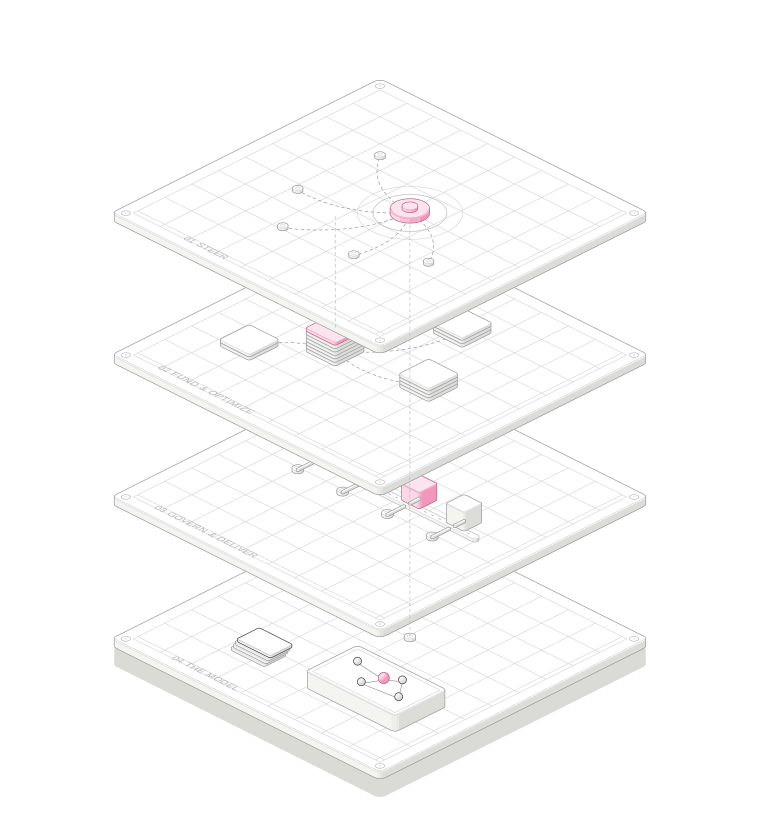
Every team sees its own view. Every view reads the same model.
The board, finance, architecture, the portfolio office, risk and the AI office each ask different questions. Dotwork answers all of them from one Enterprise Operating Model, so the numbers agree and a change in one place shows up everywhere it matters.
By team
Start with the question your team asks most.
Executives & Boards
CEOs, executive teams and boards
“Are we executing the strategy we agreed, and what needs our decision?”
Dotwork for Executives & BoardsFinance & FP&A
CFOs, FP&A and business finance
“Where will we land this year, and can we still move money?”
Dotwork for Finance & FP&AIT Finance / TBM office
IT finance teams and TBM offices
“What does each capability and application cost to run, all in?”
Dotwork for IT Finance / TBM officeFinOps & Cloud
FinOps, cloud and platform teams
“What is the cloud bill paying for?”
Dotwork for FinOps & CloudPMO / EPMO
Portfolio and program management offices
“Is this still the work we funded?”
Dotwork for PMO / EPMOEnterprise Architecture
Enterprise, business and solution architects
“What does each capability cost, and what breaks if it changes?”
Dotwork for Enterprise ArchitectureRisk & Compliance
Risk, compliance, security and audit teams
“Can we prove our controls work?”
Dotwork for Risk & ComplianceAI / CTO office
CTOs, heads of AI and AI governance teams
“What AI is running, what does it cost, and is it paying off?”
Dotwork for AI / CTO officePrivate Equity
Operating partners and portfolio company leaders
“Which value creation levers are working, and which should we stop funding?”
Dotwork for Private EquityThe model underneath
Every team, one model.
Each team opens its own views over the same Enterprise Operating Model. When one team changes something, every other team sees it, and Dotwork AI reads all of it, stopping where the decision is yours.
See the Enterprise Operating ModelFrequently asked questions
Which teams use Dotwork?
Executives and boards, finance and FP&A, IT finance and TBM offices, FinOps and cloud teams, the PMO and EPMO, enterprise architecture, risk and compliance, the CTO and AI office, and private equity operating partners. Each works from the same operating model.
Do teams see different views of the same data?
Yes. Every team reads the same records through views built for its own questions, so finance sees budgets and variance while architects see applications and capabilities. Because the records are shared, a change made by one team shows up for every other.
Can several teams start at once?
They can, but most organizations start with one team and one real problem, then add the next team on the same model. Each new team inherits the records already there, so it starts faster than the first.
Which team usually starts first?
It depends on where the pressure is. Finance and IT finance often start with cost and the budget, the PMO with the portfolio and executives with strategy. Talk to us about where to begin.
How do teams share work in Dotwork?
Through relationships on the model. A bet links to the initiatives that serve it, the budget that funds it, the applications it changes and the controls it must meet, so each team sees how its work connects to the others without a handoff.